New Google Ads Update: Low-Activity Keywords to Be Auto-Paused
For years, the best practice in PPC management involved diligently building vast keyword lists, attempting to cover every long-tail possibility. While this strategy occasionally paid dividends, it often resulted in account bloat, thousands of keywords sitting dormant, gathering dust, and potentially dragging down overall campaign performance.Now, Google Ads Auto-Pause is taking the initiative.
The recent, significant update to the automatic pausing of low-activity keywords is fundamentally changing how advertisers must approach account hygiene. This isn’t just a small change to the way things are run; it’s a clear sign from Google that they care about making things easier, more relevant, and more efficient. This update is important for both digital marketers and business owners to understand in order to protect their current ad spend and make sure their future campaigns are successful.
Before Read: How To Start a PPC Campaign For a Small Business (Without Wasting Budget)
The New Reality Of Google Ads Auto-Pause: Understanding Google’s “Spring Cleaning”
Google Ads has started a big automated cleanup. The goal is simple: make the ecosystem easier to use so that advertisers can put their time and money into terms that really work.
What does it mean to have a “low-activity keyword”? (The 13-Month/Zero-Impression Rule)
Google has given a clear definition of the words that the Google Ads auto-pause keywords feature is looking for:
- Age: The keyword must have been made more than 13 months ago.
- Performance: The keyword must not have gotten any impressions in the last 13 months.
If a positive keyword in your search ad campaigns meets these two criteria, it is flagged for an automatic “Pause.” Google’s system finds these inactive entries and pauses them all at once, making it easier for the advertiser and making the whole PPC account simpler to use.
The Main Reason Google Made This Change
This change is not meant to punish anyone; it’s meant to make the advertising platform healthier and more effective. Google is trying to fix several common problems by automatically getting rid of “dead weight”:
- Account Clutter: Getting rid of thousands of unused keywords makes it easier to find your way around and manage your accounts, which speeds up the optimisation process.
- Focus on Signals: A cleaner, simpler account makes it easier for Google’s Smart Bidding and automated systems to read performance signals and better allocate budget to the keywords that are doing the best.
- Encouraging Proactivity: It makes advertisers do the keyword performance audits they may have been putting off, moving the focus from the number of keywords to the quality of the keywords.
The Two Direct Effects on Your PPC Strategy
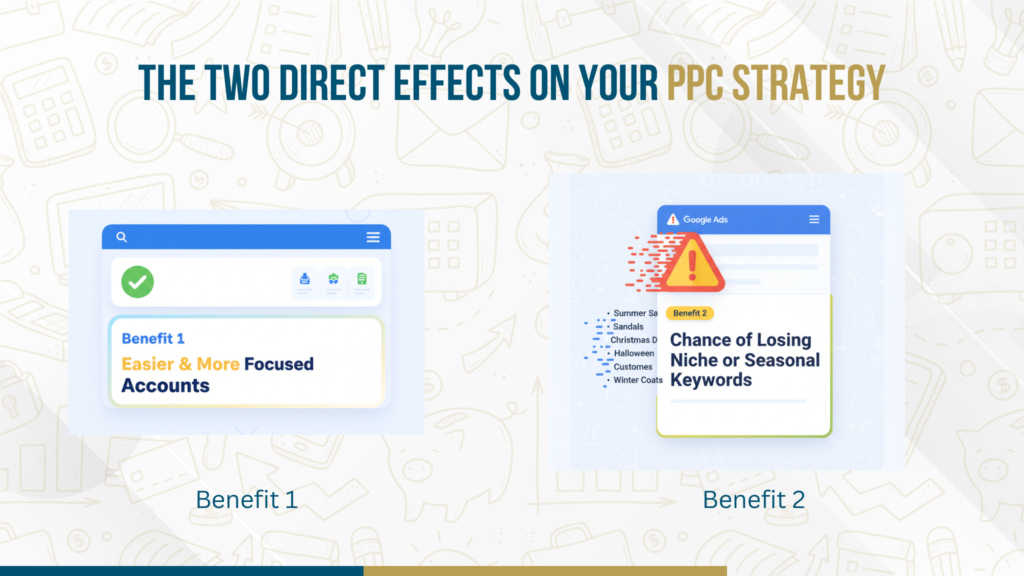
Google Ads keyword auto-pause update affects PPC strategy with two main outcomes—focused accounts and possible loss of niche keywords.
The main effect is that accounts will be easier to manage, but marketers need to be aware of both the intended benefit and the possible hidden risk that this update brings.
Benefit 1: Making accounts easier and more focused automatically
For most advertisers, this will be a good thing overall. It automatically gets rid of thousands of zero-impression keywords that were making reports messy and making your campaign management more complicated than it needed to be. This automated process lets your PPC team spend their valuable time on terms that get a lot of clicks and conversions, which makes the campaign much more efficient overall.
Benefit 2: The Chance of Losing Niche or Seasonal Keywords
The hardest part is dealing with keywords that have a long sales cycle or are very seasonal.
Consider a keyword related to “specialized industrial coating” that only sees search volume once a year, or a term for a “Christmas market vendor application” that is only relevant for one month. If these keywords were made 14 months ago and haven’t gotten any impressions yet (because of the season or the state of the market), the Google Ads auto-pause keywords feature will flag and pause them.
If you don’t proactively review these paused lists, you could miss crucial opportunities when their season or market activity returns.
A 3-Step Proactive Audit to Protect Your Data
You should assume that the pause button might hit some important keywords, even if they move slowly. In this new environment, you need to take the following proactive steps:
Step 1: Review and filter the keywords that are on hold
Don’t wait for Google to tell you. Make it a habit to sort your search terms by status and look for keywords that the system has paused. Categorize these terms:
- Irrelevant: Keywords that truly deserve to be paused. Put them in the archive.
- Seasonal/Niche: Keywords that are useful but not very popular. Keep these flagged for the next step.
- Possible Mistakes: Keywords that you thought would get clicks. Check the alignment of the Ad Group/Ad Copy and the Quality Score.
Step 2: The 90-Day Unpause Rule (and How to Use It Strategically)
Google’s system will re-pause any reinstated keyword if it fails to generate impressions in the subsequent three months (90 days).
For your Seasonal/Niche keywords, use the unpause function strategically. Only unpause those keywords just before their expected peak search period. If you unpause a seasonal term in July when its season starts in November, the system will simply re-pause it in October. Timely management is now non-negotiable for PPC account cleanup.
Grow faster with the best digital marketing services in Dwarka, Delhi. Book our paid marketing service today for quality leads & guaranteed ROI.
Step 3: Shift Focus from Quantity to Quality Score
Google is subtly pushing for a better Google Ads optimisation strategy with this update. The best way to avoid auto-pausing is to make sure your keywords are working well from the start. A high Quality Score makes sure that your keywords are always relevant and getting views. Work on making your:
- Ad Relevance: Does the keyword fit the ad copy exactly?
- Landing Page Experience: Is the page you land on very relevant to the keyword?
- Expected CTR: Are you writing ad copy that is interesting and makes people want to click?
Making sure your Google Ads account structure will last into the future
To keep your investment safe from the Google Ads auto-pause keywords system, take a long-term, structured approach:
The New Era’s SKAGs (Single Keyword Ad Groups)
A lot of people have argued about SKAGs (Single Keyword Ad Groups), but they really shine in this new world. They make sure that a single keyword, its ad copy, and the landing page are all very relevant to each other. This level of accuracy leads to higher Quality Scores and higher impression rates, which almost guarantee that they won’t be marked as low-activity keywords.
Using Negative Keywords to Keep Hyper-Relevance
It may seem strange, but the best way to protect your positive keywords is often to remove keywords. If you keep a close eye on your negative keyword lists, you can be sure that the impressions you do get are very qualified and relevant to your ad copy. This keeps your budget from getting too thin and makes the positive feedback loop for your best-performing terms even stronger.
Conclusion: Use efficiency to get the most out of your investment.
The update to Google Ads that automatically pauses keywords is a big step towards making things easier and more efficient. It requires a more careful and planned approach to managing keywords, but the main goal is to help advertisers do better and get a higher return on investment (ROI).
This update gives your business a clear chance to change how it manages PPC from reactive maintenance to proactive strategic optimisation. If your team is spending too much time sorting through account clutter or if you need help from an expert to do a full keyword performance audit after an update, the best way to get the most out of your campaign efficiency is to work with an experienced agency.